|
|
|
|
|
|
|
1M+ Downloads
Securely backup Gmail mailboxes, including emails, contacts, calendars, etc., to the preferred location within the local or network-attached storage. The Kernel Gmail backup software saves emails with their metadata and attachments in a PST, MSG, EML, PDF, DOC, or HTML format.
190+COUNTRIES WORLDWIDE
20YEARS' EXPERIENCE
24x7CUSTOMER SUPPORT
What's new inKernel Gmail Backup v25.0
Top Use Cases for Kernel Gmail Backup Software

Backup Emails with Metadata & Attachments
Run Kernel Gmail Backup tool to preserve emails as well as the attachments and metadata stored within them. Allows a comprehensive backup of granular email conversations, eliminating the risks of losing critical data. Simplifies customizing the data selection to save within the resultant backup files.
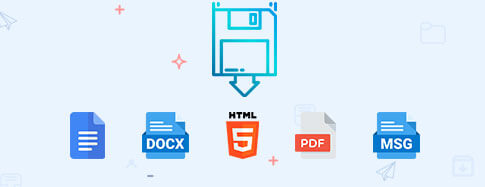
Save Backup to Multiple Formats
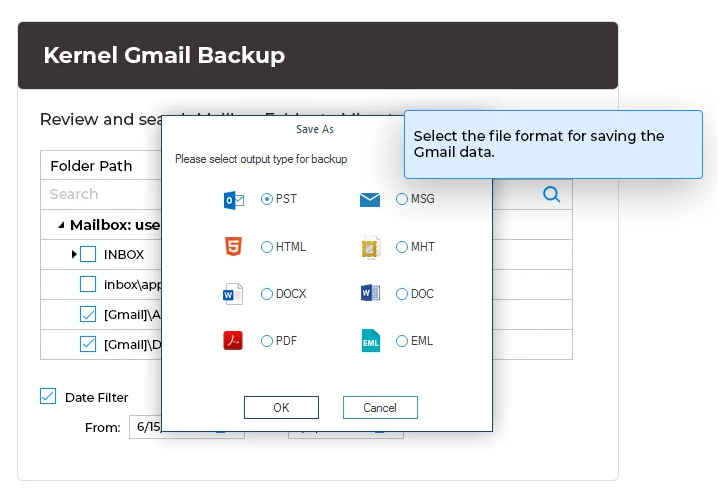
With the Gmail backup software, get the flexibility to choose from the supported output formats, such as PST, MSG, HTML, MHT, DOCX, DOC, PDF, & EML. Backup the desired emails and other data to the desired format without altering the content/ structure and save within the local or NAS storage.

Selective Backup using Filters
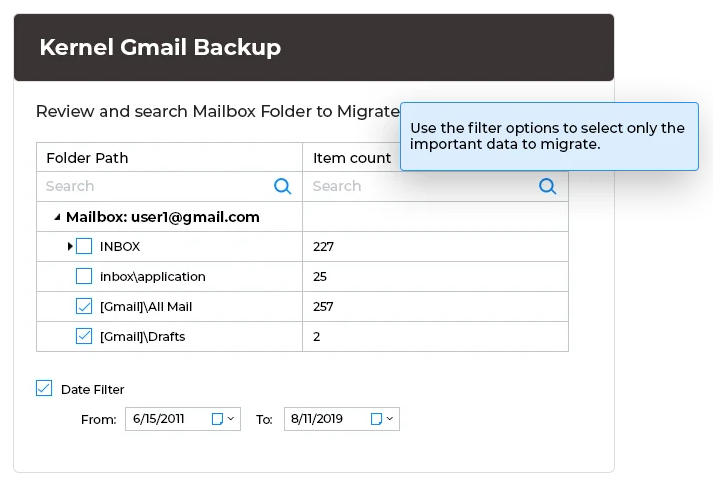
With the Kernel Gmail Backup tool, it is easy to select data from specific Folders, Labels, Contacts, or Calendar. The software allows complete control over the mailboxes to backup entire or selective Gmail data with data filtering options, such as date, exclude a deleted folder, exclude an empty folder, and more.
HOW to Backup Gmail Emails?
The backup of the Gmail mailbox is completed in 3 simple steps:
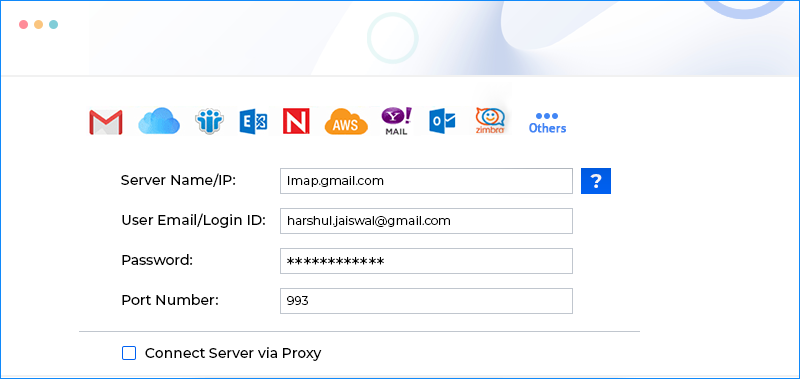
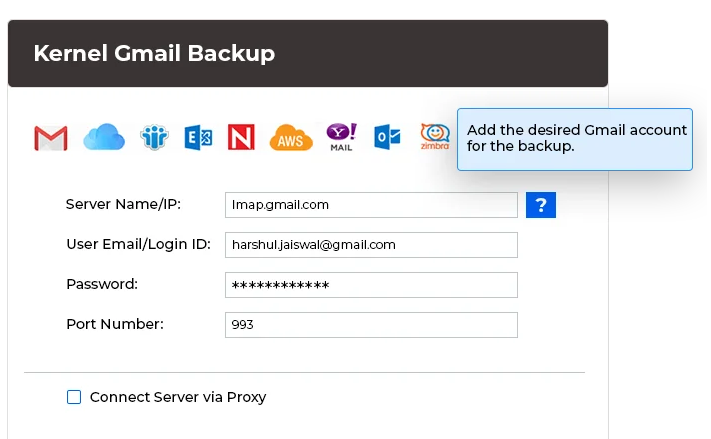
Add login details:
Add Gmail account login details for backup
Use filter:
Use filter options to select important data to migrate
Backup Gmail data :
Select file format for saving the Gmail data
Benefits of Kernel Gmail Email Backup Tool
No Data Loss
Secure Gmail backup of all critical data, including sender, recipient, subject, attachments, and body, text, images, tables, and more, without any data loss.
Accessible Backup Files
Backup files are not encrypted, hence easily accessible in their supported applications, such as PST files in MS Outlook & PDF in Adobe Reader.
Retains the Folder Names
Retains the original mailbox folder names in the Gmail backup file, ensuring easy identification of the resultant backup folders.
Login Help
Access your IMAP server login details conveniently with the software's login help section. For more assistance, get in touch with the support team.
Skip Empty/Deleted Folder Backup
Selective backup is possible with the advanced filters to exclude empty and deleted folders from the backup file and more.
Backup With the Same File Name
Save backup files with the same name as your Gmail account within the preferred location, making it easy to identify and organize.
Core Features of Kernel Gmail Backup Tool
Check out the advanced features and capabilities of the Gmail Email Backup software:
Backup Gmail Mailboxes
Run a comprehensive Gmail mailbox backup with the all-in-one solution and preserve the entire email data across various Gmail folders, including Inbox, Sent, Trash, and other folders.
Automated Backup with CSV
Skip the hassle of manually entering G Suite account details and use the CSV with the details of multiple mailboxes to execute a rapid Gmail email backup without any data overlapping.
Select any Folder from the Gmail Mailbox
Scan and display all the folders of your Gmail mailbox, including Inbox, Drafts, Important, Sent, Spam, Starred, Trash, etc. Provide the flexibility to choose from the folders to include or exclude in the backup file.
Smart Filters for Selective Backup
Perform selective Gmail backup using advanced filters, such as date, exclude deleted folder, exclude empty folder, save entire hierarchy into a separate folder, etc., to backup only the relevant data items.
Save Backup in Multiple Formats
Use the Gmail backup tool to securely run a thorough Gmail backup and save it to the file format of your choice. Choose from a wide range of supported formats, such as PST, MSG, HTML, MHT, DOC, PDF, & EML.
Detailed Backup Report
After the Gmail backup completion, the Gmail email backup tool generates a comprehensive report containing the details on the backup status of each folder. Allow the users to save the report as a CSV file locally for future reference.
Split Large PST Files
Use the option Split Output PST file after to manage the PST files containing large Gmail email backups. Specify the size for creating multiple small PST files starting from 1GB, 2GB, 3GB, and even more.
Run Multiple Iterations
To backup bulk email data at once, run multiple instances of the Gmail backup utility. Speed up the process by running multiple processes simultaneously, free from any conflicts within the saved data.
Retain Read/ Unread Status
Backup emails with the Gmail email backup software while preserving the read and unread status of the emails throughout the process. Maintains the complete account history during the backup process.
Maintain Folder Hierarchy
Supports comprehensive backup of Gmail emails, maintaining the original folder hierarchy to allow easy access to the data. The Gmail backup utility lets you extract backup from the mailboxes with data integrity.
Backup G Suite and Drive Data
Backup single or multiple Gmail and G Suite mailboxes simultaneously using this tool. Add them individually or import the mailboxes in bulk using a CSV file for a swift and efficient Gmail mail backup process.
Backup all G Suite Apps
Utilize the Kernel G Suite Backup tool to take the backup of the entire G Suite applications, including Gmail mailbox data, Google Hangouts, G Drive data, and more.
Frequently asked questions
How do you backup emails with the Kernel Gmail Backup tool?
Run the Gmail mail backup software to backup emails from Gmail accounts. It is a user-friendly tool involving these easy steps.
Step 1: Download and install the Kernel Gmail backup tool to start the backup process
Step 2: Click the "Add" button, and it will open the login page
Step 3: Input the Server Name/IP, User mail, Password, and Port number for the Gmail account
Step 4: After selecting the account, click "Set Filters and Migrate."
Step 5: On the ‘Filter Selection’ page, multiple filters are available. Select the desired filters. Then click I am OK, Start Migration.
Step 6: There are different formats in which you can select and save the data. Select the one per the need.
Step 7: Provide the destination folder.
Step 8: After getting the ‘Process completed’ message, save the migration report in CSV format.
I have created some folders to save some important emails. Does your tool take a backup of them?
Yes. The tool will scan and enlist all user-created folders (labels). The backup procedure will remain the same.
How do you use the CSV file for multiple Gmail account backup?
For the Gmail account, you need to input the following details in the CSV file–
Source IMAP Mailbox
Source Login Account
Source Password
Source Server Name
To skip the hassle, you can download the sample CSV file, and enter the details as asked and then import the CSV in the Gmail email backup software.
What are the other IMAP email clients with which the tool can be used?
The tool can take backups of more than 15 IMAP based email clients, including Gmail, Outlook, G Suite, Amazon WorkMail, Yahoo, AOL, Zimbra, etc.
Software
Prerequisites & recommendations.
About Software
Version: 25.0
Release Date: July 2024
License Type: Home, Corporate & Technician
Version Support
Outlook PST File - Office 365, 2019, 2016, 2013, 2010, 2007, 2003, 2002, 2000, 98 and 97
System Requirements
Hard Disk: 50 MB of disk space
Memory: 128 MB Minimum
Processor: Intel® Pentium Processor compatible (x86, x64) or equivalent
Operating System: Windows OS Platforms - Windows OS Platforms - Windows 365, 11, 10, 8.1, 8, 7, Vista, XP, 2000, 98, NT 95
Windows Server 2022, 2019, 2016, 2012, 2008 R2, 2008, 2003 R2, 2003
What our customers saying about Gmail Backup Software
(4.9/5) 447 Reviews
Counting on this software for future needs now
Having moved on to another organization, the need for data transfer has arisen. My current colleague suggested this tool to me and I now appreciate it. I am completely counting on this software for future needs now.
Scott Schnoll

© Copyright 2000-2025 COGITO SOFTWARE CO.,LTD. All rights reserved










