|
|
|
|
|
|
|
Office 365 to Google Workspace Migration Tool for Easy Transfer
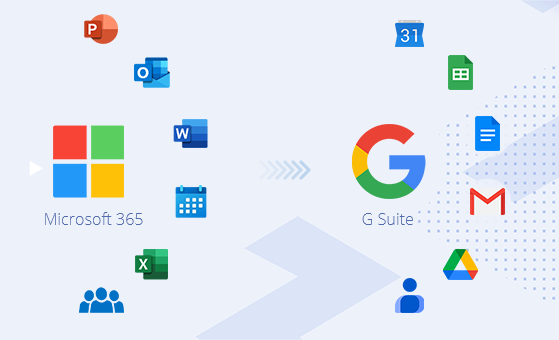
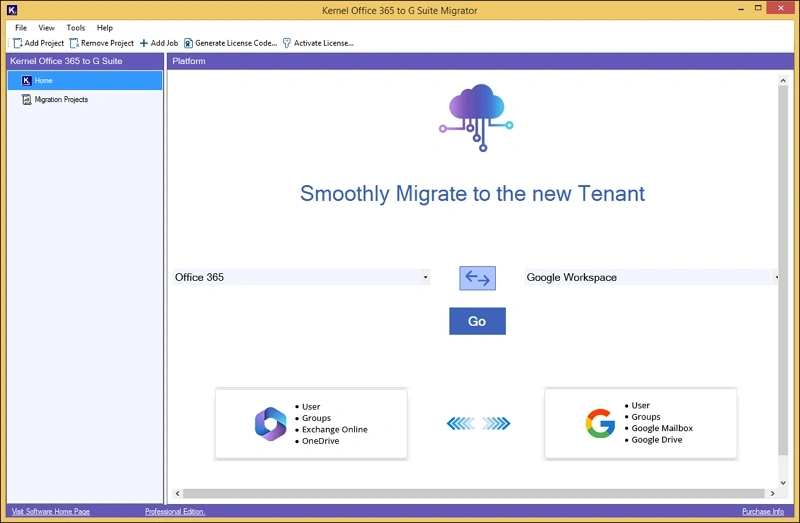
Complete solution to migrate Office 365 to Google Workspace with zero data loss. Transfer Office 365 users, mailboxes, groups, drives, and workloads to Google Workspace. Kernel Office 365 to Google Workspace Migration Tool features an interactive GUI interface integrated with advanced filters for smooth migration.
190+COUNTRIES WORLDWIDE
20YEARS' EXPERIENCE
24x7CUSTOMER SUPPORT
Top Reasons for Microsoft 365 to Google Workspace Migration
Check out the standout features of Google Workspace over Office 365 that drive users for O365 to Google Workspace migration.
Better collaboration
Google Workspace components allow efficient collaboration through features like real-time co-authoring to boost productivity.
Ease of use
Google Workspace provides a simple and easy to use interface that all users can navigate through without facing any hassles.
Enterprise-grade security
With robust infrastructure & data loss prevention policies, G Suite supports high-end data security to protect sensitive data.
Affordable plans
G Suite is known for its affordable and transparent pricing plans, making it suitable for all businesses.
Mobile friendly
Provides a mobile friendly experience, making it easy for all to access the platform from anywhere simply over smartphones or tablets.
Consistent experience
Being a browser-based platform, Google Workspace supports high speed and easy accessibility without any external apps.
Key Features of Office 365 to Google Workspace Migration Tool
Explore the rich features of the Office 365 to G Suite migrator & get a complete understanding of its functionalities.
Migrate Exchange Mailboxes
Transfer single or multiple user mailboxes data, including emails, calendars, contacts, etc., into Google Mailbox. Preserve folder hierarchy, permissions, & data integrity.
Migrate OneDrive to Google Drive
Move documents, files, and folders, with the original structure from OneDrive to Google Drive with their permissions and versions. Transfer everything from My files, Shared, and other folders.
Office 365 Groups migration
Migrate Office 365 Groups and users to Google Workspace, including group mailboxes (with shared emails and calendars), planner data, files, and member permissions with 100% error-free process.
Create users & groups
Permits simplified users & groups creation if the intended source users & groups are unavailable within Google Workspace. No need to switch screens or interrupt the process.
Easy users and groups mapping
Allows instant and easy mapping of users between Office 365 & G Suite. Use the Import CSV/ Export CSV option or map the users manually. Saves time, simplifies setup & reduces manual errors.
Advanced data filters
Microsoft 365 to Google Workspace migration tool permits selective and managed migration using advanced data filters. Use filters like folder filter, file filter, items, date filter, etc., for desired outputs.
Sync new changes
Run delta migration processes to migrate only the updated or modified data after the initial transfers. Boost users’ productivity and provides zero data loss guarantee.
Multiple Project Management
Run multiple migration tasks/jobs simultaneously for easy transfers during large-scale cloud migration projects. No data overlapping or hinderance with migrations running in the background.
Use Schedule Feature
Run automated or on-demand migration during the non-business hours or with the schedule feature. Minimize downtime situations with recurring migrations on daily, weekly, or monthly basis.
Easier Project Handling
Provides multiple options to manage migration jobs, such as Pause, Start job, etc.
Remove Job: Remove completed from the project list.
Start Job: Re-run any previous/ completed job.
Pause: Pause the running migration job.
Stop Job: Stop any running job before completion.
Detailed migration reports
Get detailed logs & summary report at the end of each migration with details like migrated items, skipped files, etc., in CSV format. Provides easy tracking & transparency during the process.
Trial edition
Test the tool's core features with its trial version for 15 days & ensure a secure migration. But with this, you can only migrate:
Drive- 25 to 30 files [Size- 20 MB] per user.
Mailbox- 100 mails per folder of 1 mailbox.
What Data Gets Migrated from Office 365 to Google Workspace
Know all the items that you can migrate with the Office 365 to G Suite Migration tool:
Personal & Shared Mailbox
Complete OneDrive data
Permissions
Folder structure & metadata
Office 365 Groups
Updated data
3 Easy Steps to Migrate from Microsoft 365 to Google Workspace
Just follow this easy 3-step process with the Office 365 to G Suite Migration tool and get the desired results.
Step 1: Open the tool, create project & add multiple jobs.
Step 2: Add source & destination. Map users & groups.
Step 3: Apply required filters. Then, schedule & start the migration.
Advantages of Microsoft 365 to Google Workspace Migration Tool
Discover the benefits of the Office 365 to Google Workspace migrator that helps to make your migration journey smooth with guaranteed results.
Instant migration
Experience instant transfer of emails, calendars, contacts, & files from Office 365 to Google Workspace with no data loss. The tool helps to keep your business operations smooth without any delays.
Get expert support anytime
Our 24/7 dedicated technical team guides you through the complete migration from setup to post-migration queries. We provide full assistance for hassle-free & secure migration.
100% error-free process
The migrator for Office 365 to G Suite provides guaranteed results without any disruptions. Equipped with high-end algorithms, the tool assures a smooth migration process with zero lags and issues.
No size limitations
Office 365 to G Suite migrator supports migration of entire data Office 365 tenant with no size limitations. Transfer mailboxes, files, and folders of any size with 100% secure process.
Intuitive user-interface
Run cloud to cloud data migrations with zero hassle. Designed with simple, clean, and self-descriptive user interface, the Office 365 to Google Workspace migration tool allows smooth navigation throughout.
Rapid data migration
Supports rapid Office 365 to G Suite migration to deliver high-performance and transfer massive data volumes without hampering the security. Enhance productivity and support business continuity.
Wide compatibility
Supports all Microsoft 365 plans & Google Workspace editions. Smooth Office 365 to G Suite migration across all Windows Operating System, i.e., Windows 365, 11, 10, 8.1, 8; Windows Server 2022, 2019, 2016, 2012, and 2008.
Retry Failed Items
This top-quality tool provides this feature that enables users to easily re-migrate data that failed during the initial run. With such functionality, you can improve the overall success rate of the migration.
Support for Different Mailbox Types
Equipped with high-end algorithms, the tool assists in easy migration of data to user mailboxes, shared mailboxes, and public folders. Configure to different destination as per your convenience.
FAQs - Office 365 to G Suite Migration Tool
Get answers to the most asked users’ queries related to migrating from Office 365 to G Suite.
I want to migrate Microsoft 365 to Google Workspace. What data can I migrate?
The Office 365 to G Suite Migration tool supports migration of users' complete personal & shared mailboxes, calendars, contacts, OneDrive files, Office 365 Groups content, folder structure, permissions, and message metadata.
Can I migrate email from Office 365 to Google Workspace with no file size or number restrictions?
Yes, the Microsoft 365 to Google Workspace Migration tool easily works with bulk mailbox migration of any size. You can even speed up the project by using the Import/Export CSV file option.
Can I get updated data with this Microsoft 365 to Google Workspace migration tool?
Yes, by utilizing the available filters in both the Mailbox & Drive sections, you will get updated data at your destination.
I have set permissions in OneDrive & shared the file. Are they preserved?
The tool's advanced algorithms keep your permissions as it is in the output.
If users or groups don’t exist in Google Workspace, can they be created during migration?
You can create users and groups directly in the destination during migration with the tool’s Create group & Create user feature.
I want to migrate Office 365 to Google Workspace with selected data. Does the tool support this?
Use the tool’s advanced filters for the needed results like include/exclude folders, date ranges, item types, or avoid duplicate items.
How will I monitor progress and identify migration issues?
The tool allows you to track the live progress of the migration from start to success. Finally, it generates a detailed migration report in CSV format that lists counts, success/failure statuses and error remarks for each mailbox and folder.
What our Customers are Saying
Michael Adams, IT Administrator ★★★★
Our organization had over 500 mailboxes to migrate from Microsoft 365 to G Suite.This tool simplified everything from mapping users to preserving folder structures hierarchy.The most impressive thing about the tool is its accuracy.Not a single permission or file went missing.Most trusted secure software!
David Lee, System Administrator ★★★★
As a consultant working with multiple enterprises,I have used various migration tools.But Kernel Office 365 to Google Workspace migration tool stands out because of its user-friendly setup ability to run multiple jobs simultaneously. Timesaving instant solution!
Software
Prerequisites & recommendations
About Software
Version: 25.0
Release Date: Sep 2025
License Type: Mailbox & Users wise
Version Support
Office 365 (Microsoft 365): All plans, including Enterprise (E1, E3, E5), Exchange Online (Plan 1, Plan 2), Business Premium, A1, A3, A5, F1, and Business Essentials.
Google Workspace: All plans, including Business, Enterprise, Essentials, Frontline, Individual, and Education.
System Requirements
Hard Disk: 500 MB for installation, 5 GB free for data and logs
Memory: Minimum 8 GB RAM (16 GB recommended)
Processor: Minimum 4-core Intel® Pentium (8-core recommended)
Operating System: Windows 11, 10, 8.1, 8, Windows 365, and Windows Server 2022, 2019, 2016, 2012, and 2008 (32-bit & 64-bit)
Prerequisites: Internet Connectivity, .NET Framework 4.6+, Microsoft Visual C++ 2015-2022 Redistributable (x86)

© Copyright 2000-2026 COGITO SOFTWARE CO.,LTD. All rights reserved










