|
|
|
|
|
|
|
Office 365 Migration Tool to Move Bulk Mailboxes and Data
1M+ Downloads
Migrate entire Office 365 data, including emails, contacts, calendars, and notes, with complete integrity. Move Exchange Online, SharePoint Online, OneDrive, and other platforms between Office 365 tenants with ease. Get secure, automated migration with smart filters, incremental migration, and real-time progress tracking using our Office 365 to Office 365 migration tool.
What's new inKernel Office 365 Migration Pro v25.0
190+COUNTRIES WORLDWIDE
20YEARS' EXPERIENCE
24x7CUSTOMER SUPPORT
Trusted by Fortune 500 Companies

Common Scenarios to Use Microsoft 365 Migration Tool
Explore common scenarios for migration between Office 365 tenants, including mergers, acquisitions, and domain changes.
Multiple Sources to Microsoft 365
Mergers and Acquisitions
Data Security and Compliance
Microsoft 365 Migration in Just 3 Easy Steps
Follow the Office 365 migration process in 3 simple steps to move data securely and without downtime.
Step 1:Add Source and Destination
The Office 365 migrator tool flawlessly connects the source and destination accounts. Use the modern authentication to list all the mailboxes in destination and select the required ones. Ensure accurate mapping between source and destination Office 365 accounts for a smooth, uninterrupted data migration.
Step 2:Select what data to migrate
Apply different advanced filters such as Date Filter, Item Type Filter, Exclude Deleted Folders, Exclude Empty Folders, etc. to migrate only the data you need. Use the Skip Previously Migrated Items feature for unlimited data transfer without duplication.
Step 3:Migrate and authenticate data
Start the process and keep track of real-time migration progress. Upon completion, the Office 365 migration tool allows you to save a detailed migration summary as a CSV file for record-keeping. Log into the destination Office 365 account to confirm if all data has been migrated properly.
What MVPs Say
Meir Peleg, Microsoft MVP
“The effectiveness of our work has grown multi-folds after the Microsoft 365 migration due to this wonderful software. I am having a breath of fresh air as now we can manage our emails with different categories in different accounts safely. Excellent experience."l
Top Features of the Office 365 Migration Software
Explore the high-end features of our Office 365 to Office 365 migration tool to execute instant and safe Microsoft 365 data transfers.
Migrate to Office 365
Easily migrate to Office 365 with the advanced Microsoft 365 Migration tool. Transfer Exchange Online, Exchange Server, and Hybrid Exchange to Microsoft 365. Ideal solution for upgrading organization’s systems with complete accuracy.
Bulk Office 365 Users’ Migration
Migrate multiple users of the Microsoft 365 admin account using CSV Authentication. The Office 365 data migration tool retrieves all the users from the selected accounts. Perform bulk data migration without any kind of restrictions.
Migrate Office 365 Groups
The Microsoft 365 to Microsoft 365 migration tool easily transfers all your Office 365 Groups. The tool is equipped with a separate option, "Migrate to Office 365 Groups," for a hassle-free migration in no time.
Shared Mailbox Migration
Move Office 365 Shared Mailboxes into another tenant’s account with ease. Migrate Shared Mailboxes to Office 365 Groups and maintain files and folders’ structure in the original hierarchy.
Public Folder Migration
Transfer Public Folder’s data, including emails, attachments, contacts, and more, to Office 365 account. The software offers a separate Mailbox Migration window to migrate Public Folder of selected Office 365 accounts.
Archive Mailbox Migration
With the software’s advanced algorithms, users can start their in-place archive mailbox migration process with ease. Quickly Migrate Office 365 Archives or unnecessary emails to another account and free up space. .
Selective Office 365 Email Migration
Office 365 email migration tool has an advanced Filter feature for Selective Office 365 Mailbox Migration. Transfer specific data, such as files, folders, emails, journals, contacts, and calendar appointments for precise migration.
Multiple Domain Email Migration
Using the top Microsoft Office 365 migration tool, migrate Office 365 to Office 365 Account/Domain securely. Migrate Exchange Online, Shared Mailboxes, etc., from one domain to another within a single tenant.
Batch Microsoft 365 Migration
Use the Batch migration feature to run multiple software instances and different migration jobs simultaneously. The Office 365 to Office 365 migration software automates all migration jobs without interrupting each other and guarantees data transfer with accuracy.
Cross Tenant Migration
Microsoft 365 cross tenant migration tool allows users to move emails, contacts, and files between different Microsoft 365 tenants. Migrate all your data, including large-sized cross-tenant/domain mailboxes securely.
Supports Hybrid Environment
Use our Office 365 migration software to simplify hybrid Microsoft 365 migration. Migrate data from Hybrid Exchange (a single Exchange Server between on-premises Exchange and Exchange Online) with ease.
Trial Version
Get the demo version of Office 365 migration tool to carry out the migration with no upfront cost needed. Just install the tool, add your source and destination, and execute the migration smoothly.
Why Choose Kernel Office 365 Migration Tool?
Want to know why our Office 365 migration tool stands out in the market? Take a look at the extra-ordinary functionalities of the tool.
Incremental Migration
Use incremental migration feature to migrate only newly added data in the destination to avoid data duplicity. This minimizes downtime and risk of migration failure.
Office 365 Migration Demo
Kernel Office 365 to Office 365 Migration tool has a demo version that lets users transfer 10 items per folder to another account risk free.
Secure Migration
Protect your essential Office 365 data by establishing a secure connection between source and destination account with Multi Factor Authentication and Modern Authentication.
Easy User Mapping
Map multiple Office 365 mailboxes between source and destination correctly using a CSV file. Make sure all users are correctly mapped to transfer data properly.
Customizable Filters
Microsoft 365 migration tool offers several advanced filters like Date Filter, Item Type Filter, Exclude Deleted Folders, Incremental Migration, etc. for selective transfer.
Preserve Metadata
Migrate to Office 365 smoothly while keeping all file details intact. Maintain all emails, permissions, users, metadata, and settings as they were in the original source.
Compatibility
Kernel Office 365 to Office 365 Migration software is compatible with all Exchange Server and Windows OS versions. Download this software for easy accessibility on all Windows 32-bit and 64-bit versions.
Reporting
Generate and download a detailed Microsoft 365 migration report in a CSV file. The report contains all essential information like Mailbox, Folder, Status, and Item Count for record keeping.
Dedicated migration project support
Get 24/7 support from our experts for smooth Microsoft 365 migration. We simplify the process and answer all your questions, which makes migration smooth and hassle-free.
All-in-One Office 365 Migration Software Suite
Your complete solution for a secure and smooth migration of SharePoint, Teams, Exchange, OneDrive, Planner, and more. Trusted and reliable Office 365 tenant-to-tenant migration tool to migrate data within the same or different tenant.
Secure SharePoint Migration
Migrate SharePoint data sites & libraries, including documents, images, videos, links, and more.
Microsoft Teams Migration
Migrate Teams Channels and threads with attachments, stickers, emojis, and GIFs.
Easy Teams Chat Migration
Securely migrate Microsoft Teams chat (Direct Messages) with all the attachments and metadata.
Exchange Online Migration
Move Exchange Online mailboxes, such as emails, contacts, calendar entries & attachments across tenants.
M365 OneDrive Migration
Easily switch OneDrive to a new Microsoft 365 tenant including all folders, sharing links, and permissions.
Microsoft Planner Migration
Our tool transfers plans, tasks, attachments & work progress to new tenants and maintains data integrity.
Office 365 to Office 365 Migration Tool - FAQs
Get answers to all the commonly asked questions related to Microsoft 365 migration.
How to Migrate Office 365 Data Securely?
Here is the step-by-step process to migrate Office 365 data safely.
Step 1: Download and run the Kernel Office 365 Migration tool.
Step 2: Add the source and destination Microsoft 365 admin accounts.
Step 3: Select Mailbox, Archive Mailbox, and Public Folder accordingly.
Step 4: Apply different filters to migrate specific data as per your needs.
Step 5: The software will start the migration process.
Step 6: Once the process is done, download a detailed migration report.
Can this tool resolve “Office 365 shared mailbox is not showing in Outlook” issue?
Yes, the Microsoft 365 Migration tool can easily resolve the issue where an Office 365 shared mailbox is not showing in Outlook.
Is there any Microsoft 365 migration demo version to migrate data?
Yes, this migration tool offers Office 365 Mailbox migration demo version. With the trial version, migrate up to 10 items per folder. To migrate the entire mailbox, upgrade your license and enjoy a hassle-free migration process.
Does this tool provide any filter to skip already migrated items?
Yes, the Microsoft 365 Migration tool offers an advanced Skip Previously Migrated Items feature. Migrate only newly added items and skip already migrated items.
Is this tool compatible with all Windows OS versions?
The Office 365 mailbox migration tool is compatible with all Windows OS and Windows servers.
What data can we migrate from Office 365?
The Office 365 mailbox migration tool is compatible with all Windows OS and Windows servers.
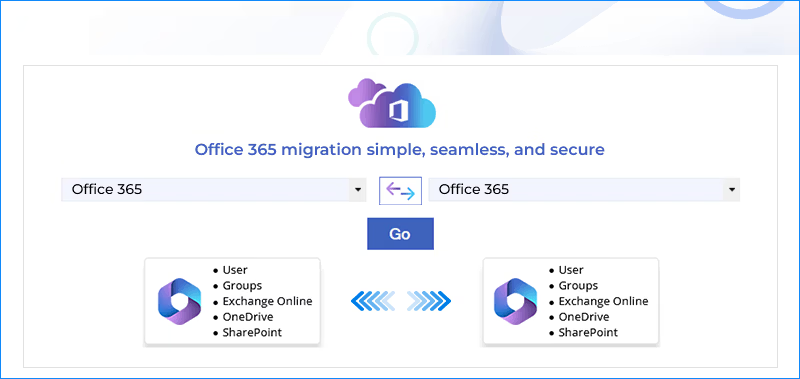
Kernel Office 365 to Office 365 Migration tool can easily migrate these data components:
Can I migrate my selected date emails to another tenant?
Yes, the software facilitates a Date Filter feature that allows you to migrate specific data according to date range.
Can I migrate only selected users from my 150-user Microsoft Admin account to another tenant using this tool?
The software offers a selection feature to select specific users from the admin account. After that, you can initiate a migration process to move data from selected users.
Can I migrate Office 365 data without any planning?
No, you need a proper Office 365 pre & post migration checklist to achieve successful migration.
Is there any size limitation with this Office 365 migrator tool?
No, you can easily add large-sized Office 365 mailbox(es) to the software and perform a flawless data transfer.
Office 365 to Office 365 Migration SoftwarePrerequisites & Recommendations
About software
Version: 25.0
Release Date: July 2024
License Type: No. of Mailbox
Version support
Exchange Server: 2019, 2016, 2013, 2010, 2007, 2003, 2000
Windows Operating System (both 32-bit and 64-bit editions): Windows 365, 11, 10, 8.1, 8, 7, Vista, Windows Server 2003, 2008, 2008 R2, 2012, 2012 R2, 2016, 2019 and 2022
Virtual environments: Microsoft Virtual PC, VMware ESXi Server, VMware ESX Server, Hyper-V Server 2012 R2, 2012, 2008 R2, 2008
Office 365 Prerequisites: Requires Internet Connectivity, NET Framework 3.5 SP1 or later, Windows PowerShell 2.0
System requirements
Hard Disk: 1 GB free storage space for software installation
Memory: 8 GB RAM (Recommended)
Processor: Intel® Pentium 4 Class Processor (or higher)
Operating System: Windows 365, 11, 10, 8.1, and older versions.

© Copyright 2000-2026 COGITO SOFTWARE CO.,LTD. All rights reserved










